

Table of Contents
- What to Do Before You Take Your Laptop in for Fast Repair
- How Long Does Laptop Repair Take in Your Area
- Getting a Fast Laptop Repair Diagnosis
- Fast Laptop Repair vs. Buying New: When to Repair Instead
- How to Choose Between Local Shops and Larger Retailers for Laptop Repair
- Verifying OEM Parts and Warranty Coverage During Fast Repair
- Common Mistakes to Avoid When Getting Fast Laptop Repair
- Frequently Asked Questions
Last Updated: September 25, 2026
What to Do Before You Take Your Laptop in for Fast Repair
The biggest mistake people make before seeking fast laptop repair is showing up unprepared. You’ll save time and money if you handle a few critical steps first.
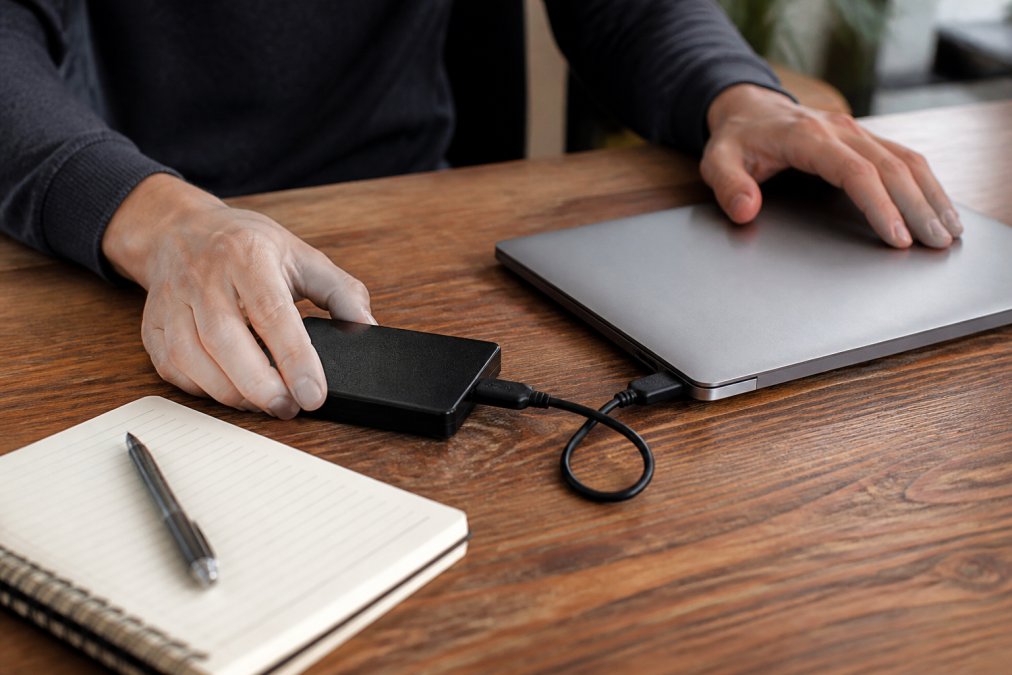
Start by backing up your data. If your drive is still accessible, copy important files to an external hard drive or cloud storage. This protects you if something unexpected happens during the repair process. Many repair shops ask about your data anyway, having this done eliminates one source of delay.
Next, document what’s actually broken. Write down exactly what symptoms you’re seeing: Does the screen flicker? Is the battery not charging? Does it overheat? Specific details help technicians diagnose the problem faster. If you’ve seen error messages, take a photo of them with your phone.
Finally, gather your laptop’s documentation. Find your proof of purchase and any warranty paperwork. Know your device’s model number and serial number, you’ll find these on a sticker on the bottom of the laptop. This information speeds up the diagnostic process significantly.
When you’re ready to bring your laptop in for fast laptop repair in Greenville, you’ll move through the process much more smoothly with these steps completed.
How Long Does Laptop Repair Take in Your Area
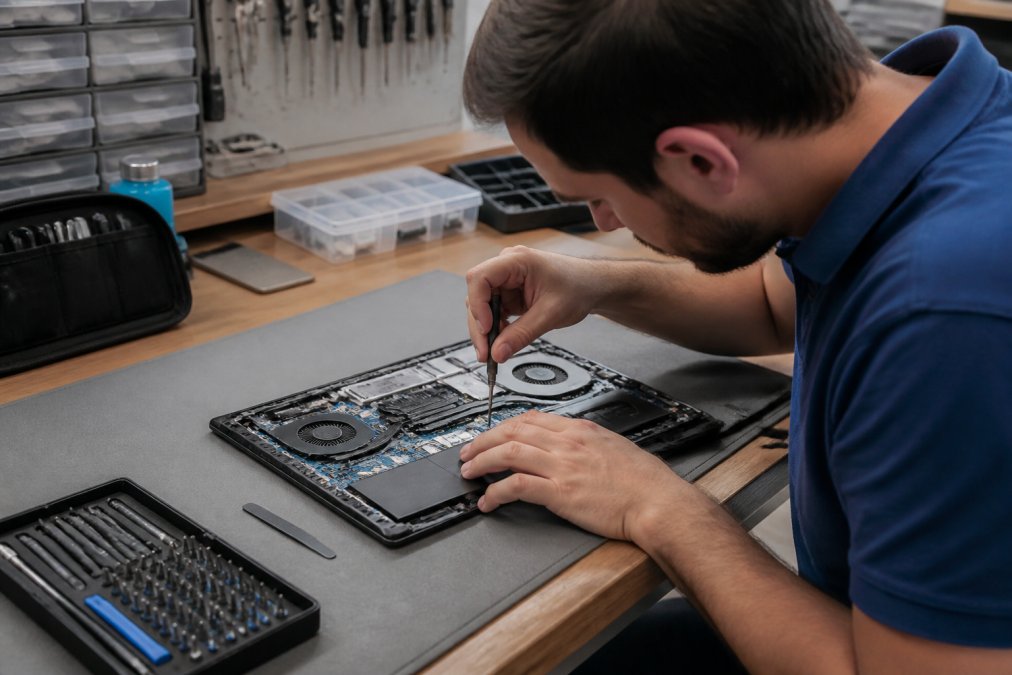
Fast laptop repair typically takes anywhere from 45 minutes to several hours, depending on what’s wrong. Simple fixes like screen replacements or battery swaps often finish in under an hour. More complex issues involving the motherboard or data recovery can take longer.
The timeline also depends on parts availability. If the repair requires a component that’s in stock, you’ll get faster results. Shops in Greenville that stock common parts, like laptop batteries, screens, and keyboards, can often complete repairs same-day. If a part needs to be ordered, expect a longer wait.
Your best option for truly fast service is calling ahead. When you contact a repair shop before arriving, they can check parts inventory and give you an honest timeline. This prevents the frustration of dropping off your laptop only to learn it’ll take a week.
FixPhone offers rapid diagnostics and repair turnarounds, often completing work in 45 minutes or less for straightforward issues. Their certified technicians can assess your laptop immediately and tell you exactly how long the repair will take.
Getting a Fast Laptop Repair Diagnosis
A proper diagnosis is what separates a fast repair from a slow one. The technician needs to identify the exact problem before ordering parts or starting work.
Most repair shops offer free diagnostics. This means you bring your laptop in, they run tests and identify the issue, and you learn what it’ll cost to fix, with no charge for the assessment. This is your chance to shop around. Get multiple diagnoses if you’re unsure, then choose the shop with the most transparent explanation.
During diagnosis, the technician should explain what’s wrong in plain language. They should tell you what failed, why it failed, and what the repair involves. If they use too much jargon or won’t explain things clearly, that’s a red flag. A trustworthy repair shop wants you to understand what you’re paying for.
Ask about parts sourcing during your diagnosis. Will they use OEM (original manufacturer) parts or aftermarket alternatives? This directly affects both cost and longevity. Understanding this distinction helps you make an informed decision about your fast laptop repair.
Fast Laptop Repair vs. Buying New: When to Repair Instead
The decision to repair or replace depends on three factors: the laptop’s age, the repair cost, and how much longer you need the device.
If your laptop is less than five years old and the repair costs less than half the price of a new one, repair almost always makes sense. You’re extending the life of a device that already meets your needs. This is especially true for work laptops, downtime costs money, and a fast repair gets you back online quickly.
Older laptops are trickier. A ten-year-old machine might not be worth repairing if the motherboard fails. But if the problem is just a worn battery or cracked screen, the repair could extend its useful life another two to three years. Ask the technician for an honest assessment.
Consider also what you’ll do with the old laptop. If you repair it instead of replacing it, you avoid e-waste and the environmental cost of manufacturing a new device. For many people, that’s reason enough to choose fast laptop repair over buying new.
How to Choose Between Local Shops and Larger Retailers for Laptop Repair
Local independent repair shops and larger retailers each have distinct advantages. Your choice depends on your priorities.
Local shops typically offer faster service and more personalized attention. The technician knows you by name, remembers your device, and can often accommodate rush jobs. They’re usually more flexible on pricing and willing to work with you if something goes wrong. In Greenville, local shops often have deeper relationships with the community and invest in their reputation.
Larger retailers have standardized processes and more locations. If you need your laptop fixed while traveling, a chain with multiple locations is convenient. They often have established warranties and clearer policies. However, they may have longer wait times during busy periods, and you might not get the same technician twice.
For fast laptop repair, the deciding factor is usually parts availability and technician expertise. Does the shop stock the parts your device needs? Are the technicians certified for your specific laptop model? Ask these questions before choosing.
FixPhone combines the personal service of a local shop with the expertise and parts availability you’d expect from a larger operation. Their certified technicians bring 6+ years of combined experience to every repair.
Verifying OEM Parts and Warranty Coverage During Fast Repair
Before approving any repair, ask specifically about parts. This is where some shops cut corners.
OEM parts are manufactured by the original equipment maker, Apple, Dell, Lenovo, or whoever built your laptop. These parts are designed to exact specifications and typically last longer. Aftermarket parts are third-party alternatives that may be cheaper but often don’t perform as well or last as long.
A reputable repair shop will be transparent about this choice. They should tell you upfront whether they’re using OEM or aftermarket parts, and explain the difference in cost and quality. Some shops offer both options at different price points, that’s actually a good sign, because it means you have control over what goes into your device.
Warranty coverage matters too. Ask what happens if something fails after your repair. A solid warranty, typically 30 to 60 days, protects you if the repair doesn’t hold. Some shops offer longer warranties on certain types of repairs. Understand exactly what’s covered before you leave.
FixPhone backs their work with a 60-day warranty on repairs, using OEM or premium parts to ensure your device performs reliably after the work is done.
Common Mistakes to Avoid When Getting Fast Laptop Repair
People often make decisions that slow down the repair process or lead to poor outcomes.
The first mistake is waiting too long to seek help. A laptop that’s overheating or making strange noises is telling you something is wrong. Ignoring these warning signs can turn a simple repair into a complex one. The moment you notice a problem, get a diagnosis. Early intervention saves time and money.
The second mistake is choosing based purely on price. The cheapest shop isn’t always the fastest or most reliable. You might end up with a repair that fails within weeks, forcing you to start over. A shop charging fair prices for quality work is worth the extra cost.
The third mistake is not asking questions. If you don’t understand what the technician is telling you, ask them to explain it differently. If you’re unsure about parts or warranty, ask again. A good repair shop welcomes questions because they want you to feel confident in your decision.
The fourth mistake is not backing up your data before dropping off your laptop. Even though reputable shops take precautions, accidents happen. Protecting your files first means you won’t lose anything if the unexpected occurs.
Finally, avoid shops that pressure you into repairs you didn’t ask for.
Frequently Asked Questions
How long does fast laptop repair usually take?
Fast laptop repair times depend on the issue. Simple fixes like screen replacements or battery swaps often take 45 minutes or less. More complex hardware issues, like motherboard repairs or data recovery, may take a few hours or a day. Diagnostic services are typically free and quick, so you’ll know the timeline before work starts. Always ask your technician for an estimate when you drop off your device.
What should I back up before taking my laptop in for repair?
Back up your important files, photos, and documents to an external drive or cloud storage before repair. While reputable technicians won’t access your personal data, backing up protects you in case of unexpected data loss. Remove any sensitive business documents or personal files if you’re uncomfortable leaving them on the device.
Is it cheaper to repair a laptop or buy a new one?
Repair is almost always cheaper than replacement, especially for common issues like cracked screens, battery problems, or keyboard failures. If your laptop is less than 5 years old and the repair cost is under 50% of a replacement device, repair makes financial sense. Ask your technician for a repair quote before deciding, many shops offer free diagnostics so you can compare the cost to replacement.
How can I verify a repair shop is using genuine OEM parts and not counterfeits?
Ask the technician directly which parts they use, OEM (original manufacturer) or aftermarket, and request documentation or receipts showing part numbers. Reputable shops are transparent about parts and often provide warranties on repairs. Check customer reviews for mentions of part quality. Many shops offer a warranty (like 60 days) which signals confidence in their parts and workmanship. If a shop is vague about parts or won’t provide documentation, that’s a red flag.
Getting your laptop repaired quickly in Greenville doesn’t have to mean sacrificing quality or trust. The right repair shop combines fast turnaround times with transparent pricing and honest service. FixPhone specializes in exactly this, fast laptop repair with certified technicians, OEM parts, and a 60-day warranty to back every job. When your device goes down, you need it working again fast. Bring your laptop to FixPhone and get back to what matters. [CTA: Repair My Device]